Spaces
Quick answer
A Space is a public link to something made in Muse: a game, a quiz, or a tool. Anyone with the link can open it in a browser and play with it, with no install. Meta has no public gallery of Spaces yet, so Skill Harbor lists shared Spaces in its Demos gallery, with a preview image for each one.
What is a Space
A Space is something built in Muse and shared as a link: a game you can play, a quiz you can take, a small tool you can use. It opens in the browser, like a web page. You do not install it, and it does not live on Skill Harbor: the link points to the Space itself, and Skill Harbor only lists it.
How to share your Space
- Make it in Muse. Build the game, quiz, or tool you want to share.
- Get the public share link. In Muse, share the Space and copy its public link. Anyone with this link can open it.
- Send the link to people, or propose it for the gallery. Share it directly with friends, or send it to us so it can be listed, as explained below.
Only share Spaces you made yourself, or Spaces whose maker said yes. A public link is public: never share a Space that holds private information.
What Meta does not offer yet
As of 2026-11-24, there is no official public gallery of Spaces, and no way to search for Spaces inside Muse. The only way to find a Space is a link someone shared. That is why Skill Harbor keeps its own list: the Demos gallery lists every playable demo and shared Space proposed to us, with a preview image for each one.
Spaces listed on Skill Harbor
Every Space listed here shows a preview image: a still image of what the Space looks like, so you can tell at a glance what you are opening. The image is provided when the Space is proposed and checked by our team before the Space appears. No image, no listing: a Space without a preview is not shown.
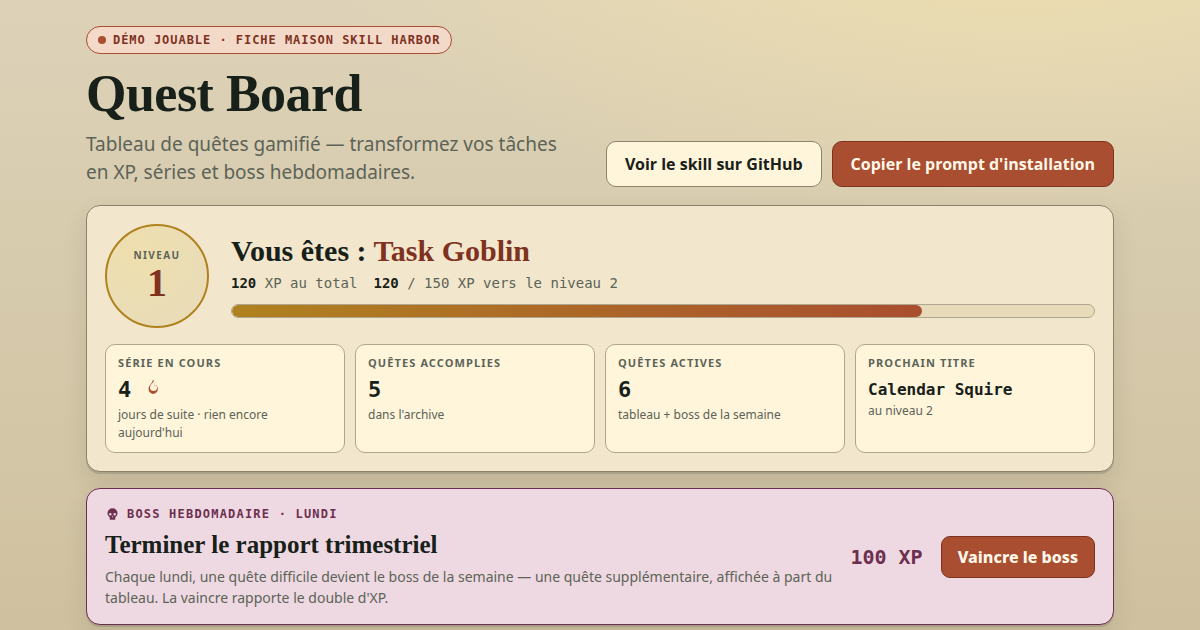
Quest Board
A playable quest board demo: finish quests, earn XP, and take on the Monday boss.
Comments
Be kind, stay on topic, no spam or personal data. Read the comment rules
Report a bug (private)
Preview images follow one format: PNG or JPG, 1200 by 630 pixels, under 500 KB. The image must show the Space itself, not a logo or a block of text.
Propose your Space
To propose a Space for the gallery, fill in the Submit a Space form. You need an account: sign in first, then send these four things:
- Space title: the name of your Space.
- Public Space link: the public share link to your Space.
- Short description: one or two sentences saying what it does.
- Preview image: PNG or JPG, 1200 by 630 pixels, under 500 KB, showing the Space itself.
The team reviews every proposal before it appears: the link must open, the Space must be safe to share, and the preview image must show the Space itself. A Space without a preview image is not listed.
Frequently asked questions
- Do I need to install anything to open a Space?
- No. A shared Space opens in the browser from its public link, with no install. If the link does not open, the Space may have been removed, or the link may be wrong.
- Can I share a Space I did not make?
- Share only Spaces you made, or Spaces whose maker said yes. A shared link is public, so never share a Space that holds private information.
- Where do I find more Spaces?
- In the Demos gallery, which lists every playable demo and shared Space on Skill Harbor. New ones appear there once the team has reviewed them.